
Custom AI Vs Ready Made AI Which Is Better CRM Software For Therapists
Custom AI and ready-made AI both help businesses automate work, analyze data, and improve daily operations. The better choice depends on what you need, how much control you want, your budget, your timeline, and the sensitivity of your data. A ready-made AI tool is usually faster to launch. It works well for common tasks such as chat support, content drafting, document search, meeting notes, lead scoring, and simple reporting.
Custom AI is better when your business has unique workflows, sensitive data, specific compliance needs, or processes that a general tool cannot handle well. The simple answer is this: use ready-made AI when speed matters and the task is common. Use custom AI when the workflow is core to your business and needs deeper control.
What Is Ready-Made AI?
Ready-made AI means software that is already built and available for business use. You sign up, connect your tools, set basic rules, and start using it.
Common examples include:
AI chatbots
AI writing tools
AI meeting assistants
AI customer support tools
AI sales assistants
AI reporting tools
AI search tools
AI features inside CRM or HR software
Buying pre-built AI can reduce launch time and implementation risk for many common use cases. Some 2026 build-vs-buy guides suggest that pre-built AI can be deployed much faster than custom AI, depending on the scope and vendor setup.
What Is Custom AI?
Custom AI refers to a solution built around your company’s data, workflows, rules, systems, and goals.
It may include:
Custom chatbot
Custom recommendation system
Custom document search
Custom workflow automation
Custom risk scoring
Custom reporting assistant
Custom CRM automation
Custom internal knowledge assistant
Custom AI offers greater control but requires more planning, testing, support, security checks, and ongoing improvement.
A practical way to think about it: ready-made AI is like buying a fitted suit from a store. Custom AI is like tailoring the suit from scratch.
Quick Comparison: Custom AI vs Ready-Made AI
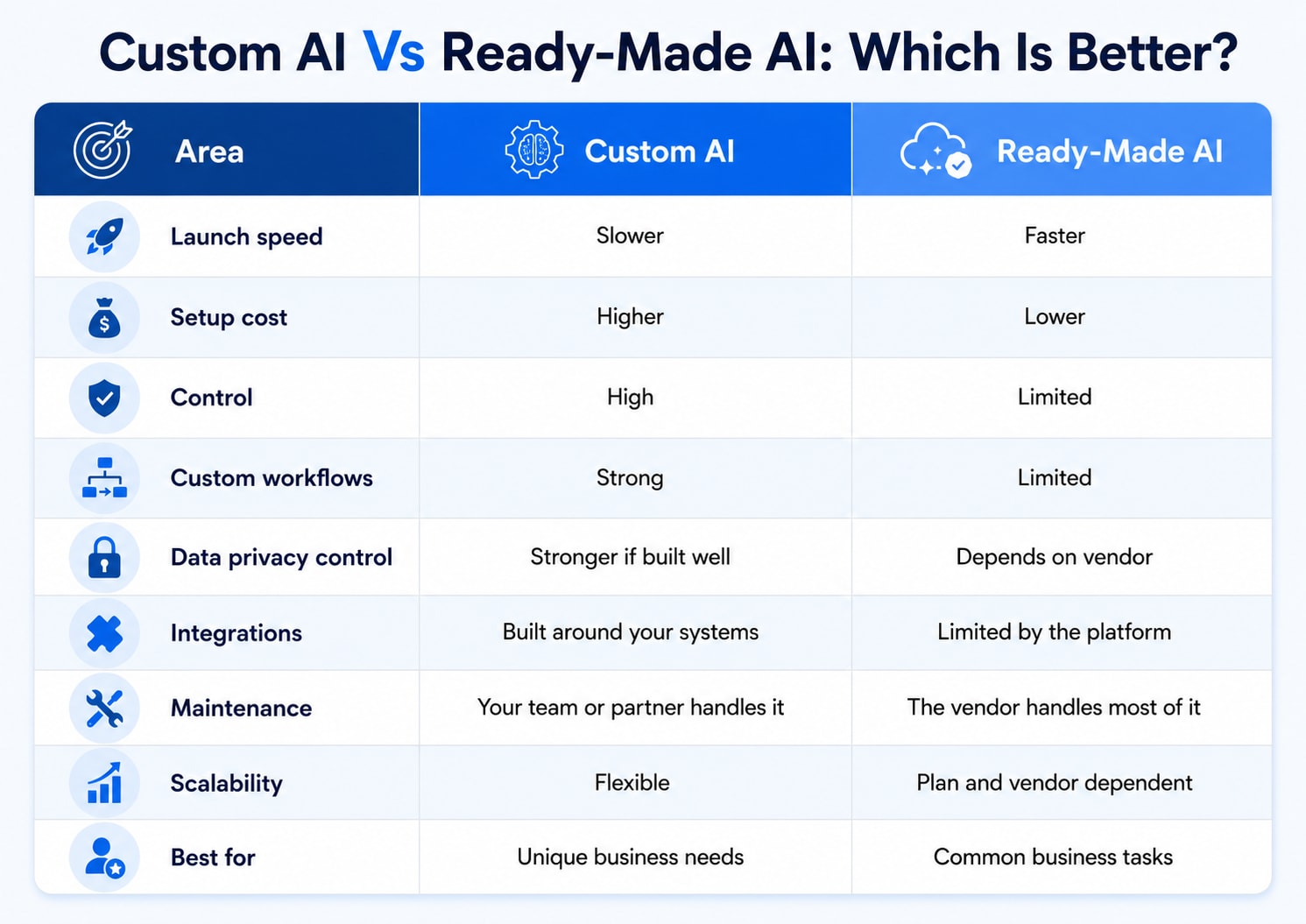
Area | Custom AI | Ready-Made AI |
|---|---|---|
Launch speed | Slower | Faster |
Setup cost | Higher | Lower |
Control | High | Limited |
Custom workflows | Strong | Limited |
Data privacy control | Stronger if built well | Depends on vendor |
Integrations | Built around your systems | Limited by the platform |
Maintenance | Your team or partner handles it | The vendor handles most of it |
Scalability | Flexible | Plan and vendor dependent |
Best for | Unique business needs | Common business tasks |
When Ready-Made AI Is Better
Ready-made AI is better when the task is common, simple, and not deeply tied to your private business process.
Choose ready-made AI when you need:
Fast setup
Lower starting cost
Basic automation
Simple support chat
Meeting summaries
Content drafts
Document summaries
Basic analytics
Standard CRM help
Built-in vendor support
For example, if a small business wants to summarize meetings, draft emails, or answer simple customer questions, ready-made AI is usually enough.
The main benefit is speed. You do not have to build the full system from zero.
When Custom AI Is Better
Custom AI is better when your business process is unique or sensitive.
Choose custom AI when you need:
Full control over workflow
Private data handling
Custom rules
Complex integrations
Industry-specific logic
Strong audit trails
Custom reporting
Internal approval steps
Special security needs
A long-term competitive edge
For example, a healthcare company may need a custom system that complies with strict data-handling rules. A finance company may need custom risk scoring. A large therapy platform may need automation that connects scheduling, billing, client intake, and privacy workflows.
This is also where CRM Software For Therapists can be a useful example. A small therapy practice may use a ready-made platform. A large group practice with custom intake flows, referral tracking, billing rules, and privacy workflows may need custom AI added around its CRM or practice management system.
Cost Comparison
Cost is one of the biggest differences between custom AI and ready-made AI.
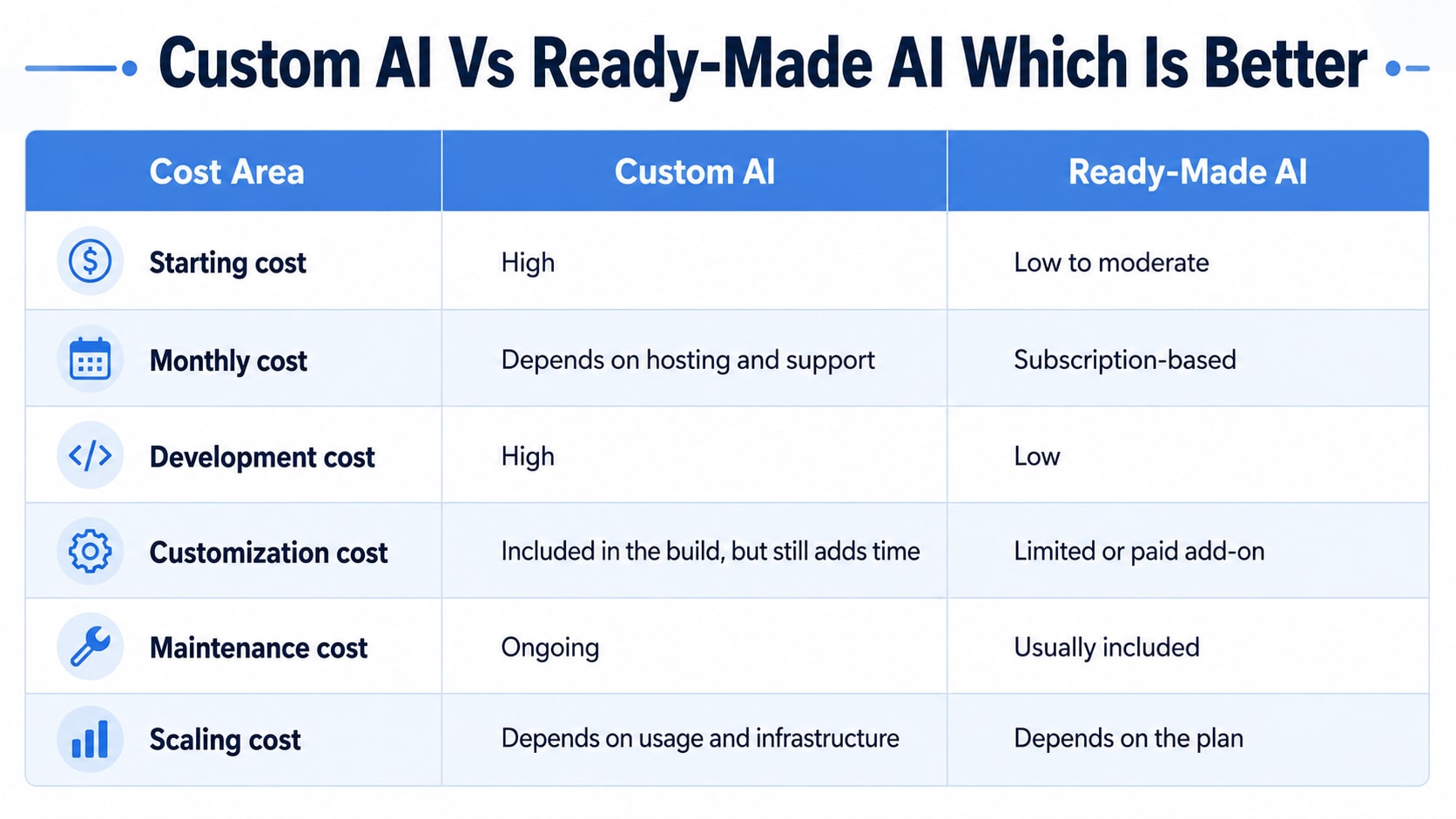
Cost Area | Custom AI | Ready-Made AI |
|---|---|---|
Starting cost | High | Low to moderate |
Monthly cost | Depends on hosting and support | Subscription-based |
Development cost | High | Low |
Customization cost | Included in the build, but still adds time | Limited or paid add-on |
Maintenance cost | Ongoing | Usually included |
Scaling cost | Depends on usage and infrastructure | Depends on the plan |
Ready-made AI looks cheaper at the start. Custom AI may cost more upfront but can be more effective if it saves significant time, reduces risk, or supports a core business process.
Speed and Setup Time
Ready-made AI wins on speed.
A ready-made tool can often be tested within days or weeks. Custom AI may take weeks or months depending on the data, workflow, testing, and security needs.
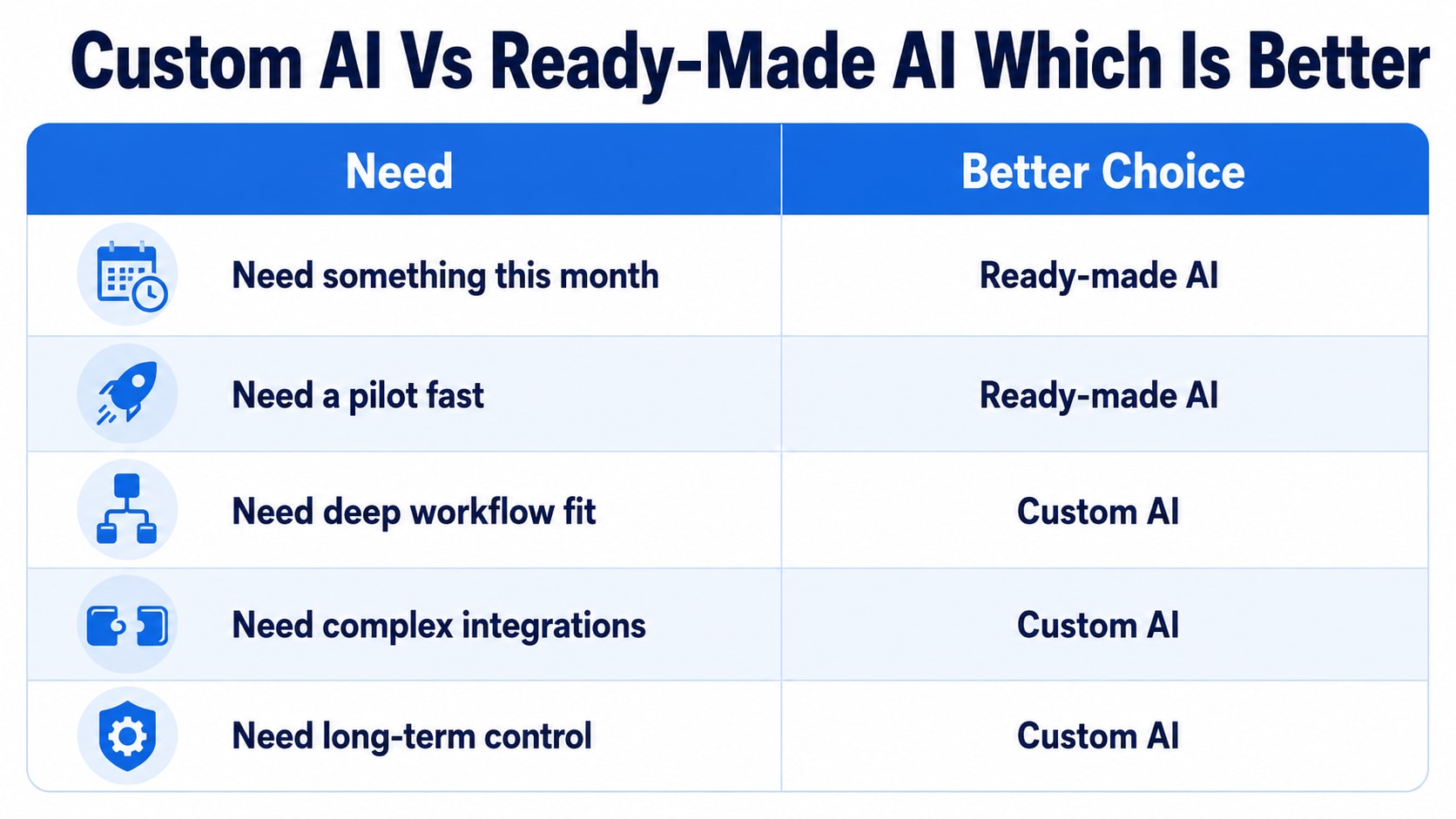
Need | Better Choice |
|---|---|
Need something this month | Ready-made AI |
Need a pilot fast | Ready-made AI |
Need deep workflow fit | Custom AI |
Need complex integrations | Custom AI |
Need long-term control | Custom AI |
If the business problem is urgent and common, do not overbuild. Start with ready-made AI.
If the problem affects core operations, take the custom route more seriously.
Data Privacy and Security
Data privacy should not be treated as a small feature. It should guide the decision from the start.
Ready-made AI tools depend on vendor policies, data storage rules, user permissions, encryption, and compliance setup.
Custom AI can offer greater control if built properly, but poor custom development can also create security risks. Recent security reports have warned that AI-assisted code can appear correct while still hiding vulnerabilities, making review, testing, and security checks necessary.
Before choosing either option, ask:
Where is the data stored?
Who can access the data?
Is the data used for training?
Are logs stored?
Can data be deleted?
Are permissions role-based?
Is there an audit trail?
Does the tool meet industry rules?
For sensitive sectors like healthcare, finance, law, and therapy, this matters even more.
Integration With Existing Tools
AI is most useful when it fits into the tools your team already uses.
Ready-made AI may connect with common apps like Gmail, Slack, HubSpot, Salesforce, Notion, Google Drive, and Microsoft tools.
Custom AI can be built around your exact stack, such as:
CRM
HRMS
ERP
Billing system
Help desk
Website
Internal database
Document storage
Practice management software
For example, CRM Software For Therapists may need to connect with intake forms, appointment calendars, billing, reminders, telehealth, and client records. A ready-made platform may cover standard needs, but custom AI can help if the practice has special intake, reporting, or referral workflows.
Control and Flexibility
Custom AI gives more control. Ready-made AI gives more convenience.
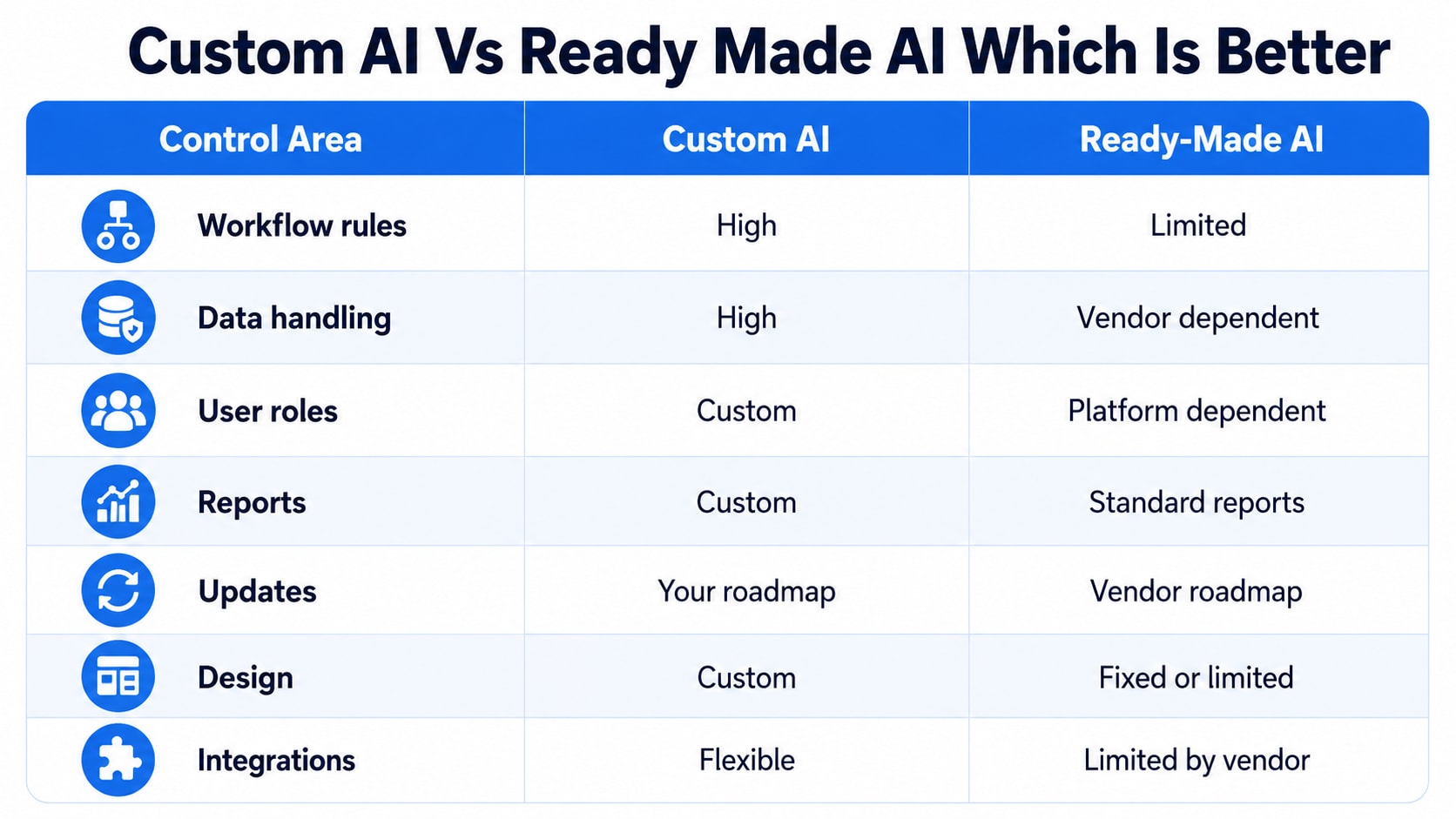
Control Area | Custom AI | Ready-Made AI |
|---|---|---|
Workflow rules | High | Limited |
Data handling | High | Vendor dependent |
User roles | Custom | Platform dependent |
Reports | Custom | Standard reports |
Updates | Your roadmap | Vendor roadmap |
Design | Custom | Fixed or limited |
Integrations | Flexible | Limited by vendor |
If your process is simple, ready-made AI is fine.
If your process is part of your business advantage, custom AI may be worth it.
Maintenance and Support
Ready-made AI is easier to maintain because the vendor handles hosting, updates, bug fixes, security patches, and new features.
Custom AI needs ongoing care.
That may include:
Data updates
Model testing
Performance checks
Bug fixes
User feedback
Security reviews
Integration updates
Cost monitoring
Compliance checks
This is where many businesses underestimate the value of custom AI. Building the first version is only the start. The system still needs ownership.
Custom AI vs Ready-Made AI by Business Size
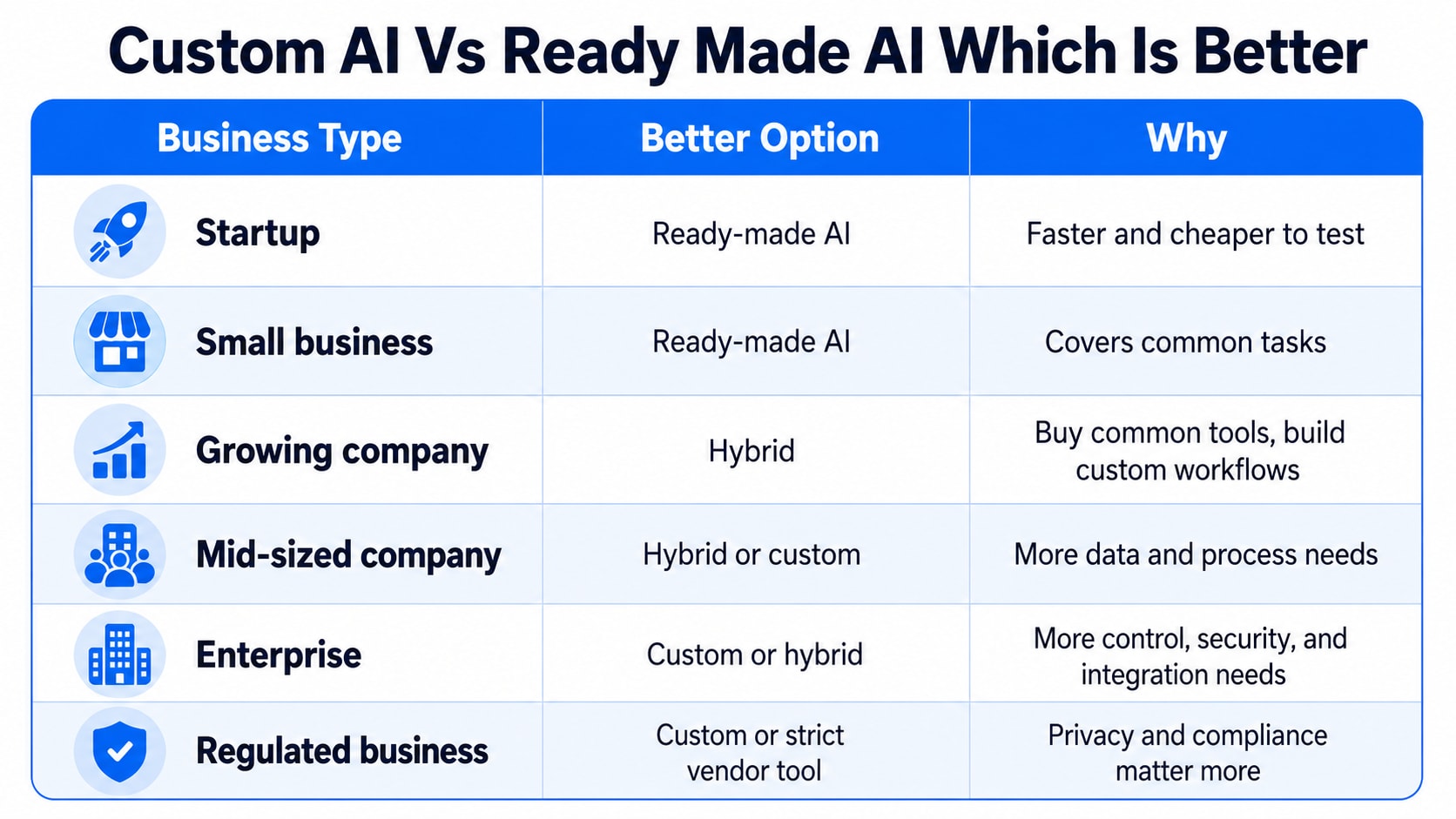
Business Type | Better Option | Why |
|---|---|---|
Startup | Ready-made AI | Faster and cheaper to test |
Small business | Ready-made AI | Covers common tasks |
Growing company | Hybrid | Buy common tools, build custom workflows |
Mid-sized company | Hybrid or custom | More data and process needs |
Enterprise | Custom or hybrid | More control, security, and integration needs |
Regulated business | Custom or strict vendor tool | Privacy and compliance matter more |
Most businesses should not start with full custom AI. A hybrid setup often works better.
What Is a Hybrid AI Approach?
A hybrid approach means using ready-made AI for standard tasks and custom AI for important workflows.
For example:
Use ready-made AI for meeting notes
Use ready-made AI for basic content drafts
Use custom AI for internal reporting
Use custom AI for client risk scoring
Use custom AI for private knowledge search
Use custom AI for workflow automation
This is often the smartest route because it avoids overbuilding while still giving control where it matters.
Example: CRM Software For Therapists
Let’s say a therapy practice wants better client management.
A solo therapist may only need ready-made CRM Software For Therapists with scheduling, intake forms, reminders, billing, and secure messaging.
A larger private practice may need custom AI if it wants:
Custom intake sorting
Referral source analysis
Smart follow-up reminders
No-show risk alerts
Private knowledge search
Custom reports for clinicians
Billing workflow automation
Secure client communication rules
In this case, the CRM handles the core practice work. Custom AI improves the parts that are unique to the practice.
Pros and Cons of Ready-Made AI
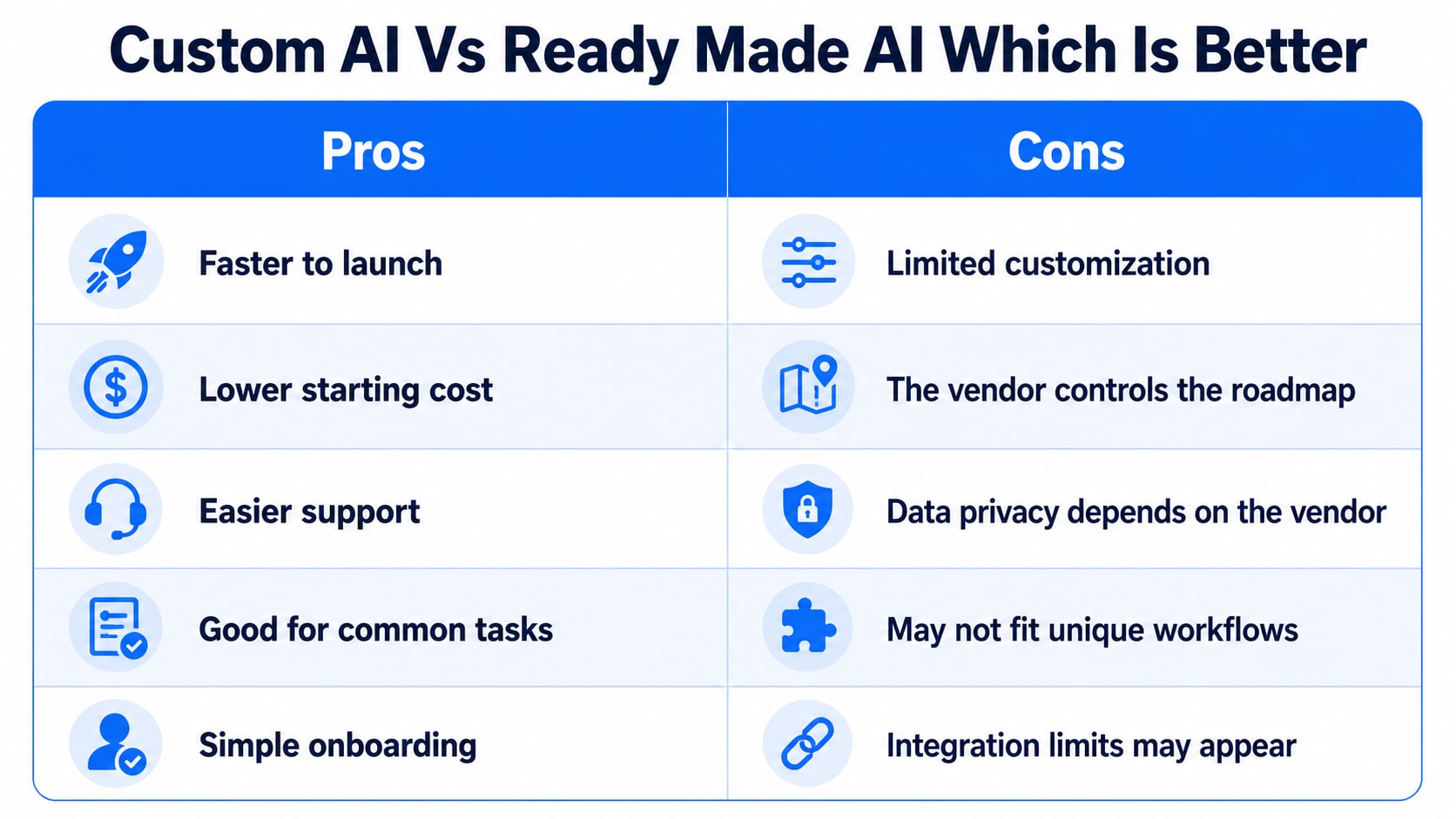
Pros | Cons |
|---|---|
Faster to launch | Limited customization |
Lower starting cost | The vendor controls the roadmap |
Easier support | Data privacy depends on the vendor |
Good for common tasks | May not fit unique workflows |
Simple onboarding | Integration limits may appear |
Ready-made AI is best when you need speed and the use case is common.
Pros and Cons of Custom AI
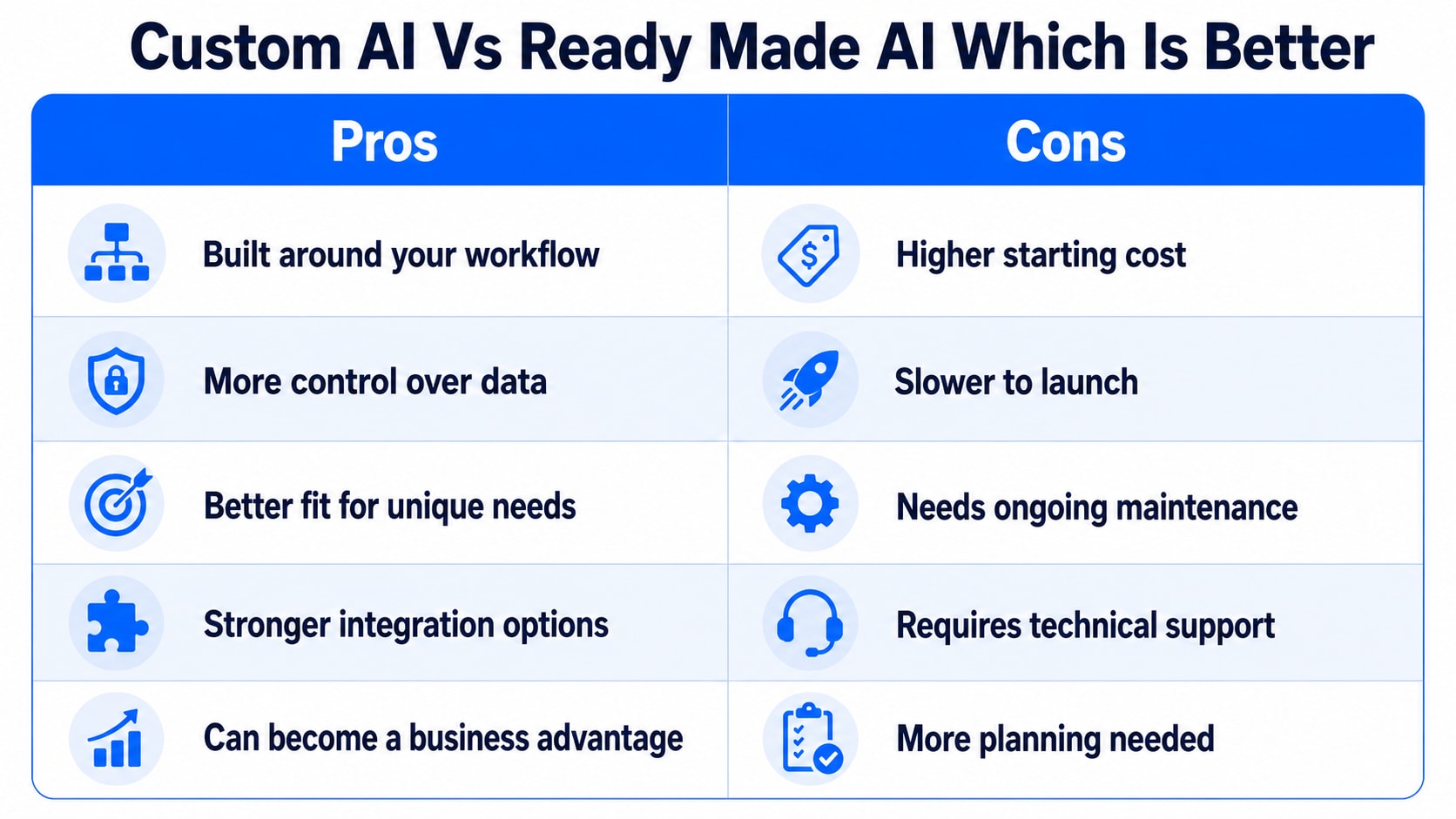
Pros | Cons |
|---|---|
Built around your workflow | Higher starting cost |
More control over data | Slower to launch |
Better fit for unique needs | Needs ongoing maintenance |
Stronger integration options | Requires technical support |
Can become a business advantage | More planning needed |
Custom AI is best when the process is important, private, or hard to manage with general tools.
Decision Checklist
Use this table before choosing.
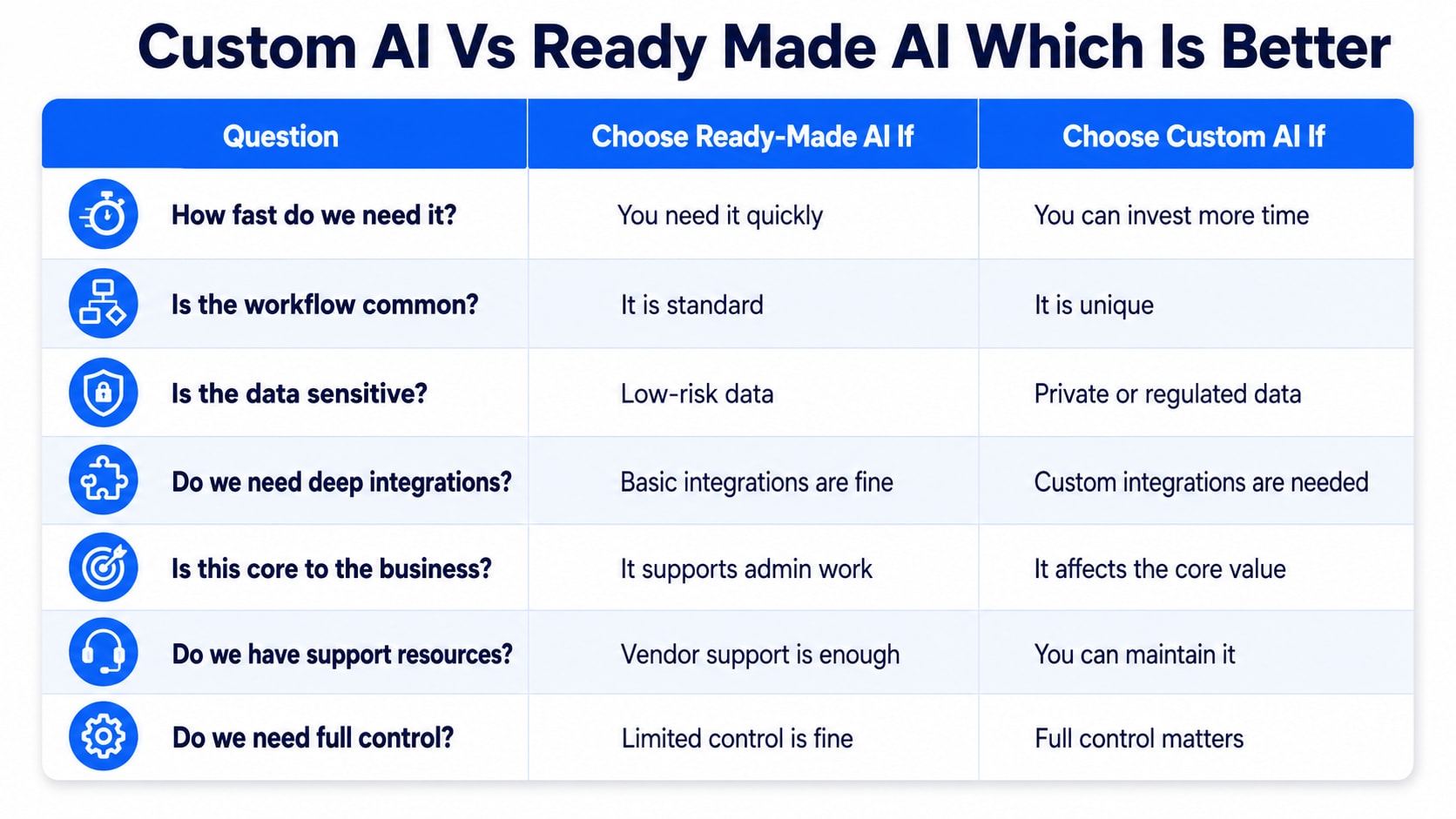
Question | Choose Ready-Made AI If | Choose Custom AI If |
|---|---|---|
How fast do we need it? | You need it quickly | You can invest more time |
Is the workflow common? | It is standard | It is unique |
Is the data sensitive? | Low-risk data | Private or regulated data |
Do we need deep integrations? | Basic integrations are fine | Custom integrations are needed |
Is this core to the business? | It supports admin work | It affects the core value |
Do we have support resources? | Vendor support is enough | You can maintain it |
Do we need full control? | Limited control is fine | Full control matters |
Common Mistakes to Avoid
Many companies choose the wrong path because they focus only on cost or hype.
Avoid these mistakes:
Building custom AI for simple tasks
Buying a tool without checking data rules
Ignoring integration needs
Not testing with real users
Skipping security review
Forgetting the maintenance cost
Choosing too many tools
Using private data without a clear policy
Not setting success metrics
Expecting AI to fix a broken process
A tool cannot fix a messy workflow by itself. Clean the process first, then choose the software.
Which Is Better: Custom AI or Ready-Made AI?
Ready-made AI is better for most common business needs. It is faster, cheaper, easier to maintain, and good enough for many teams.
Custom AI is better when the workflow is unique, the data is sensitive, the system must connect deeply with existing tools, or the AI function can create a real business advantage.
For most companies, the best answer is not one or the other. It is a hybrid setup.
Buy what is common. Build what makes your business different.
What is the difference between custom AI and ready-made AI?
Custom AI is built for a specific business workflow, data set, and goal. Ready-made AI is already built and used for common tasks with limited setup.
Is custom AI better than ready-made AI?
Custom AI is better for unique workflows, sensitive data, and deep integrations. Ready-made AI is better for faster launch, lower cost, and common business tasks.
Is ready-made AI cheaper than custom AI?
Yes, ready-made AI is usually cheaper upfront because it uses a subscription model. Custom AI costs more because it needs planning, development, testing, and support.
When should a business build custom AI?
A business should build custom AI when the workflow is core to the business, the data is sensitive, the process is unique, or standard tools cannot solve the problem well.
When should a business use ready-made AI?
A business should use ready-made AI for common tasks such as document summaries, meeting notes, support chat, basic reporting, content drafts, and simple workflow assistance.
Can small businesses use custom AI?
Yes, but small businesses should be careful. Custom AI makes sense only when the problem is valuable enough to justify the cost, setup time, and support.
Is a hybrid AI approach better?
For many companies, yes. A hybrid approach lets businesses use ready-made AI for common tasks and custom AI for workflows that need more control.
What are the risks of ready-made AI?
Ready-made AI risks include limited customization, vendor lock-in, unclear data policies, weak integrations, pricing changes, and features that do not fit the business process.
What are the risks of custom AI?
Custom AI risks include high cost, longer setup time, security issues, poor testing, maintenance needs, unclear ownership, and failure to deliver business value.
Can CRM Software For Therapists use AI?
Yes. CRM Software For Therapists can use AI for follow-up reminders, intake sorting, appointment insights, referral tracking, report summaries, and admin workflow support.
Related Posts

Why Therapists Need A HIPAA-Compliant CRM In 2026
Learn why a HIPAA-compliant CRM for therapists is essential. Protect patient data, streamline workflows, and improve practice efficiency safely and securely.

The Importance Of A HIPAA-Compliant CRM For Therapists
Discover why a HIPAA-compliant CRM for therapists is essential. Protect client data, streamline scheduling, billing, and enhance practice efficiency securely.